
My Dead Headphones and the Frustrating Truth About Battery Anxiety
I still remember the exact moment my heart sank during a fourteen-hour international flight. I had just settled into my cramped airplane seat, completely exhausted and desperately ready for some uninterrupted sleep.
I pulled out my brand-new, premium noise-canceling headphones to block out the roaring engine noise. I carefully placed them over my ears, pressed the power button, and heard a sad, descending chime.
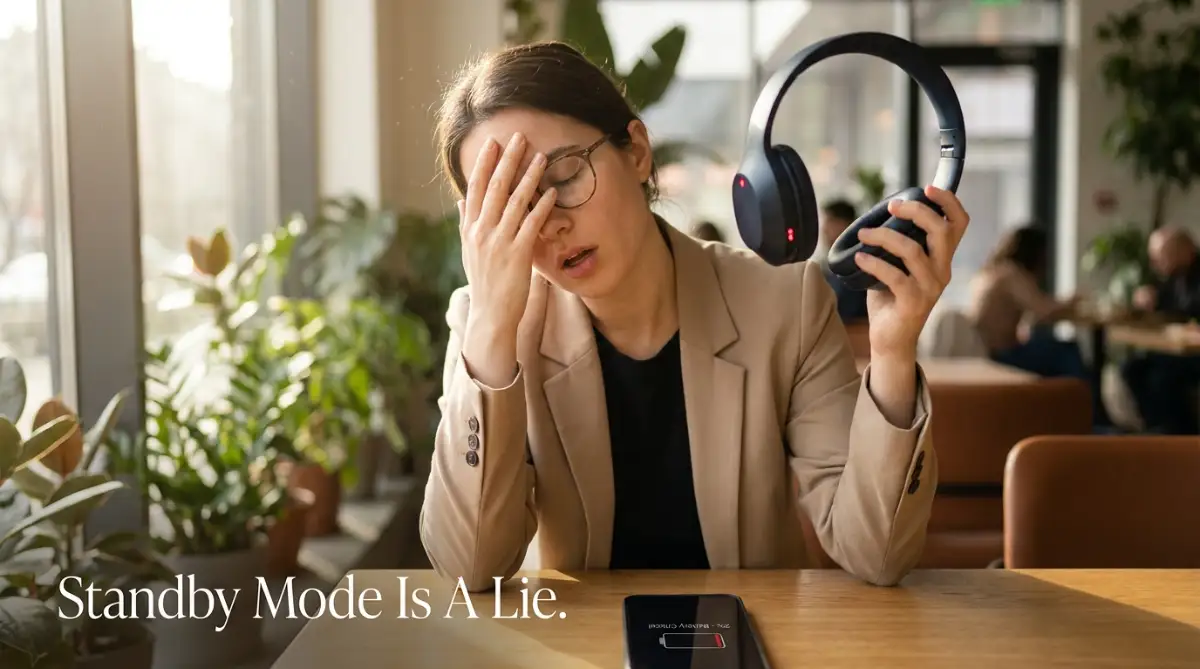
The battery was completely dead, even though I charged them fully just two days ago. It was a miserable experience that left me sitting in loud discomfort for hours.
That long, noisy flight made me wonder why these expensive gadgets struggle so much to hold a simple charge. We pay top dollar for these high-end audio devices expecting amazing, uninterrupted performance.
But nothing ruins a peaceful commute or a deep-focus work session quite like a sudden low-battery warning. You buy these gadgets to escape the noisy environment around you and find some peace.
When the power drops randomly, that peace of mind shatters instantly. Imagine walking into a noisy coffee shop, ready to work on an urgent project, only to find your headphones are completely dead.

It feels incredibly frustrating and almost feels like you wasted your hard-earned money. Many people immediately think they bought a defective unit from the store.
Others blame themselves, thinking they simply forgot to plug the charging cable in the night before. This constant battery anxiety actually changes how we use our favorite devices.
Instead of enjoying rich, detailed sound, we constantly check the battery widget on our smartphones. We end up turning off the exact features we paid for just to squeeze out an extra hour of music.
It becomes a daily struggle of managing charging cables and carrying heavy power banks everywhere. You constantly feel stressed about finding the next available wall outlet in public spaces.
This definitely shouldn't be the reality of owning luxury audio technology today. It completely ruins the seamless, wireless magic that these major tech brands promise us.
You end up physically tethered to a charging cable anyway, defeating the entire purpose of wireless audio. It naturally makes you question if upgrading to the expensive premium model was actually a smart choice.
The Hidden Science Behind the Rapid Power Drain
When you spend a significant amount of money on a premium device, you expect the battery to last all week. However, these modern headphones are no longer just simple speakers that play music.
They are essentially highly advanced miniature computers resting on your ears. Every single second you wear them, they are performing millions of background calculations.
Most of these hidden calculations happen entirely without you even noticing them. Let us explore the exact technical reasons why your expensive audio gear is running out of juice so rapidly.
The Heavy Cost of Total Silence (Active Noise Cancellation)
Did you know that complete silence actually requires a massive amount of physical energy? Active Noise Cancellation is not just a thick piece of foam blocking sound from reaching your ears.
It is more like a tiny, super-fast brain working overtime inside your headphone earcups. Built-in microphones are constantly recording the outside world around you in real time.
The internal computer analyzes that background noise and instantly creates an exact opposite sound wave. This reverse wave plays through your speakers to cancel out the roaring engines or talking people.
This continuous audio processing demands huge amounts of power from the tiny internal battery. It is basically the same as leaving your smartphone running a heavy video game in the background.
Whenever you are walking near busy traffic, the microphones work even harder to block the changing sounds. Your battery indicator drops much faster in loud environments compared to sitting in a quiet room.
Transparency Mode is Working Harder Than You Think
Many users think that turning on "Transparency Mode" or "Ambient Sound" saves battery because it lets noise in. This is a massive misunderstanding of how the technology actually works.
Transparency mode does not just turn the noise-canceling feature off completely. Instead, it actively uses the microphones to pick up outside sounds and amplifies them directly into your ears.
Your headphones are essentially acting as highly sensitive hearing aids in this mode. They process human voices and traffic sounds to make them clear and natural, which requires immense processing power.
In many cases, leaving transparency mode on can drain your battery even faster than regular noise cancellation. If you truly want to save power, you need to turn both of these features entirely off.
The High-Resolution Audio Codec Trap
Everyone wants their favorite songs to sound as detailed and crisp as possible. Premium headphones offer high-resolution Bluetooth codecs like LDAC or aptX HD to deliver that studio-quality sound.
However, streaming high-resolution audio requires a massive amount of wireless data transfer between your phone and your headphones. Think of it like a water pipe connecting two large tanks.
Standard audio is a small trickle of water flowing slowly through a narrow pipe. High-resolution audio is a massive, high-pressure flood of water forcing its way through a giant pipe.
Maintaining this heavy data connection forces the Bluetooth chip to consume significantly more energy. If you only listen to casual podcasts or normal streaming quality, keeping high-res codecs on is a complete waste of battery.
If you are feeling lost about how different audio settings secretly eat up your power, this quick visual breakdown will completely change how you listen to music forever.
Standby Mode is a Complete Illusion
One of the biggest frustrations I hear from people is that their headphones die while resting inside their bags. You put them away at sixty percent battery, and the next day they are completely dead.
The truth is that modern premium headphones do not actually turn off when you stop playing music. Instead, they enter a "low power" standby mode designed to reconnect instantly when you put them back on.
During this standby phase, the Bluetooth receiver is still scanning the area for your known devices. The internal sensors remain active, waiting for a physical touch or movement to wake the system up.
If your headphones are shifting around inside a dark backpack, the sensors might incorrectly think they are being worn. They will stay awake for hours, completely draining the remaining power before you even take them out.
Smart Features You Do Not Actually Need
Modern tech companies love adding fancy smart features to justify the high price tags of their gadgets. Features like automatic wear detection, head-tracking spatial audio, and constant voice assistant readiness sound amazing on paper.
However, these sensors constantly draw power from the battery even when you are just sitting still. The internal gyroscope and accelerometer work together to track your head movements for spatial audio effects.
I recently discovered how much power my 'Hey Siri' voice detection was using secretly. My headphones were constantly listening for my voice every single second of the day. Turning this one specific feature off instantly gave me an extra two hours of listening time.
Multipoint connection is another silent battery killer that nobody really talks about. Being connected to your laptop and your smartphone at the exact same time sounds incredibly convenient.
But maintaining two separate wireless connections forces the internal antenna to work twice as hard. The headphones constantly jump between both devices, waiting for an audio signal from either one.
Environmental Factors Ruining Battery Chemistry
We often forget that the tiny lithium-ion batteries inside our gadgets are deeply sensitive to temperature. Your premium headphones rely on precise chemical reactions to store and release electrical power.
If you leave your headphones inside a freezing cold car overnight, the battery chemistry temporarily slows down. The device might show a low battery warning simply because the power cannot flow properly in the cold.
On the other hand, extreme heat permanently damages the actual capacity of the battery cells. Leaving your headphones in direct sunlight on a hot desk bakes the internal components.
Over time, this heat exposure destroys the maximum amount of power the battery can physically hold. What used to be a thirty-hour battery life quickly drops to barely ten hours of usage. So you have to take care of your device.
Firmware Bugs and Invisible Updates
Sometimes, the rapid battery drain has absolutely nothing to do with how you use the device. The software running inside your premium headphones can easily develop strange glitches or bugs.
Manufacturers frequently release background firmware updates to fix connection issues or improve sound quality. Sometimes, these software updates accidentally introduce a bug that prevents the headphones from sleeping properly.
The internal processor gets trapped in a continuous loop, burning through power in the background. You might think your battery is physically damaged, but the headphones are just suffering from a software crash.
Performing a hard factory reset is usually the only way to clear these invisible software bugs out. It deletes the corrupted memory files and gives the power management system a completely fresh start.
Myth vs Reality: The Truth About Battery Drain
There is a lot of confusing information on the internet about how to handle wireless gadget batteries. Let us clear up some of the most common myths using simple, factual logic.
Myth: Keeping your headphones plugged in overnight will overcharge and destroy the battery.
Reality: Premium devices have smart power chips that completely stop the electrical current the moment they reach full charge. You cannot physically overcharge them.
Myth: Listening to music at maximum volume barely affects your overall battery life.
Reality: The internal amplifier uses power exponentially. Pushing the volume from eighty percent to one hundred percent drains the battery incredibly fast.
Myth: Using a fast charger from your laptop will damage the tiny headphone battery.
Reality: The headphones will only draw the specific amount of power they are designed to handle. A bigger charger will not force extra electricity into your device.
Visualizing the Battery Killers
To make this even easier to understand, I created a simple breakdown of what eats up your power the most. This chart shows exactly which features you should disable first if you are running low on juice.
By simply understanding how these different features work, you instantly gain control over your device. You no longer have to feel like a victim to sudden battery drops during important moments.
You can strategically choose which premium features are worth the power cost for your specific situation. If you are sitting in a quiet office, turning off noise cancellation instantly saves hours of playback time.
If you are listening to standard podcasts, disabling the high-resolution audio codec saves massive amounts of power. It is all about making smart, intentional choices with your expensive audio gear.
The next time you pack your bag for a long trip, you will know exactly how to prepare. You can enjoy your favorite music in peace without constantly staring at a dropping battery percentage.
You deserve to get the absolute maximum performance out of the luxury technology you paid for. Taking a few moments to adjust these hidden settings will completely transform your daily listening experience.
Advanced Battery Preservation Secrets The Pros Use
Now that we understand exactly what is silently eating up your power, let us talk about fixing it. You do not have to accept a terrible listening experience just because your device is power-hungry.
There are several advanced tricks you can use right now to drastically improve your daily listening time. These are the exact methods professional audio engineers use to keep their gear running all week long.
I actually learned some of these secrets the hard way after ruining a very expensive pair of earbuds. I thought I was taking good care of them, but I was completely ignoring the underlying hardware chemistry.
Master the 20-80 Charging Sweet Spot
Most people plug their devices in right before they go to bed and leave them charging all night. They think they are doing the right thing by starting their morning with a full one hundred percent battery.
However, pushing a lithium-ion cell all the way to maximum capacity constantly puts immense stress on the internal chemistry. Think of your battery like a simple water balloon that you are trying to fill from a tap.
Filling it up to eighty percent is very easy and puts almost zero stress on the thin rubber walls. But forcing those last few drops of water inside stretches the material to its absolute breaking point.
According to detailed research from Battery University on lithium-ion degradation, keeping your charge between twenty and eighty percent can double its lifespan. You should try to unplug your device the moment you notice the charging light turn green.
The Hidden Equalizer (EQ) Power Drain
Almost every premium audio companion app comes with a custom equalizer setting you can adjust. Many users immediately crank the bass slider all the way up to get that deep, thumping sound.
What most people do not realize is that generating heavy bass requires significant physical movement inside the speaker. The internal drivers have to push a massive amount of air to create those low-frequency vibrations.
Forcing the tiny speakers to work this hard demands a continuous, heavy flow of electricity from the main board. If you want to squeeze an extra hour of playback time out of your device, you need to flatten your EQ settings.
Choosing a balanced or neutral sound profile reduces the physical strain on the tiny audio drivers. You still get incredibly clear sound, but your battery indicator will drop at a much slower, steady pace.
Disable the "Smart" Location and Tracking Sensors
Tech companies love hiding little tracking features inside their background companion applications. Sometimes, your headphones are constantly communicating with your phone to log your physical location data.
They do this to help you find your device if you ever drop it in a busy public place. While this sounds like a helpful safety net, it forces the Bluetooth antenna to remain constantly active.
Going into the app settings and turning off the "Find My Device" tracking network can instantly boost your power retention. You have to decide if that minor safety feature is worth sacrificing your daily listening hours.
Keep the Charging Contacts Spotless
Take a close look at the tiny golden metal dots on your earbuds or the charging port on your headphones. You will probably notice a thin, cloudy layer of dirt, natural skin oils, or dried sweat built up over time.
This invisible grime acts as a physical barrier that prevents electricity from flowing smoothly into the device. The charging cable or case has to push the electrical current much harder to bypass that layer of dirt.
This heavy electrical resistance creates unwanted heat during the charging cycle, which slowly cooks the internal battery cells.
You should gently wipe these metal contacts with a dry, clean microfiber cloth every single weekend. A quick two-minute cleaning routine will completely change how efficiently your device receives fresh power.
The Most Dangerous Habits Destroying Your Device
Even if you optimize every single software setting perfectly, bad daily habits can still destroy your gear. I see people making the same exact mistakes every single day without realizing the long-term damage they are causing.
When your expensive gadgets start failing, it is easy to get frustrated and just buy a brand-new pair. But constantly replacing luxury audio gear drains your wallet heavily.
The Dashboard Oven Trap
One of the absolute worst things you can do is leave your headphones resting on the dashboard of your car. Even on a mildly sunny afternoon, the temperature inside a closed vehicle can easily skyrocket within minutes.
When a lithium-ion battery sits in extreme heat, the chemical liquids inside start to expand and degrade. According to the official Consumer Product Safety Commission guidelines on battery safety, intense heat causes permanent capacity loss.
Your headphones might physically survive the hot car, but the battery life will be permanently reduced by half. Always keep your audio devices safely zipped inside your bag when you are traveling during the day.
Relying on Cheap Gas Station Chargers
We have all experienced that sudden panic when we forget our main charging cable on a long trip. You might be tempted to buy a cheap, unbranded charging cable from a random gas station to survive the day.
These cheap accessories often lack the necessary safety chips that regulate how much electricity flows into your device. They can send random, powerful voltage spikes directly into the delicate power management board of your headphones.
Frying your expensive audio equipment with a cheap cord is a completely avoidable tragedy. Always use the original cable provided in the box, or buy certified accessories from trusted brands.
The "Run it to Zero" Myth
There is an old, outdated rumor that you need to completely drain your battery to zero before recharging it. People used to call this "resetting the battery memory," and it was entirely true for old nickel-cadmium batteries.
However, modern lithium-ion batteries absolutely hate being drained completely down to zero percent. Forcing the device to shut down from complete exhaustion actively damages the chemical structure inside the battery walls.
If you let your headphones die completely every single day, they will barely hold a charge after a few months. You should always try to plug them in when you hear the very first low battery warning chime.
Sleeping with Active Smart Features
Many people love falling asleep while listening to soft rain sounds or deep-focus white noise. The problem is that your premium headphones are packed with highly sensitive movement sensors.
They do not realize you are fast asleep; they just assume you are actively moving around and need full power. If you must sleep with audio, turn off head tracking and spatial audio completely before you close your eyes.
Ignoring Firmware Updates for Months
Sometimes people avoid updating their companion apps because they simply do not want to wait for the download. They dismiss the update notification and keep using their device with outdated, glitchy software.
Tech companies frequently push these silent updates specifically to fix massive battery drain bugs they discovered. By ignoring the update, you are forcing your device to run inefficient code that drains power twice as fast. Taking five minutes to update your device could instantly add hours to your daily listening limit.
Taking Charge of Your Audio Experience
You do not have to live with the constant fear of your music cutting out right before your favorite song chorus. Managing your wireless audio gadgets is not about completely disabling every single fun feature you paid for.
It is simply about being smart, intentional, and aware of what is happening behind the scenes. You now know exactly how much energy active noise cancellation, high-resolution codecs, and basic background sensors actually use.
By taking just a few minutes to customize your companion app settings, you are taking back full control of your device. You are extending the actual physical lifespan of your gadget, saving yourself the stress of buying an early replacement.
Start treating your high-end electronics with the same respect you would give any other major lifestyle investment. Doing so will ensure they continue delivering that deep, immersive sound you fell in love with on day one.
I strongly suggest opening your headphone app tonight and checking which background settings are silently running. I personally turned off my constant voice-assistant detection just last week, and my battery life has practically doubled. Making these tiny adjustments today means you will never have to face a silent, boring commute ever again.
Common Questions About Wireless Audio Power
Do noise-canceling headphones drain battery when not playing music?
Yes, they absolutely do drain power even when you are sitting in total silence without playing any songs. As long as the device is turned on, the internal microphones are constantly processing the background noise around you. If you are not actively listening to anything, it is always best to power the device down completely.
Does loud volume ruin my headphone battery permanently?
Listening to very loud music will temporarily drain your battery percentage much faster during that specific session. However, it does not permanently ruin the physical chemical capacity of the battery cells long-term. Just remember that the harder the internal amplifier works, the faster you will need to find a charging cable.
Is it safe to leave my wireless earbuds plugged in overnight?
Modern premium earbuds feature advanced power management chips that completely stop the electrical current when they hit maximum capacity. It is generally safe to leave them plugged in overnight without worrying about them exploding or breaking. But for the longest possible lifespan, unplugging them slightly before they hit full is the smarter move.
Why does one earbud die faster than the other one?
This is an incredibly common issue caused by how Bluetooth technology handles wireless data transfers. Usually, one specific earbud acts as the "primary master" that connects directly to your phone and shares the signal with the other earbud. Because that primary earbud works twice as hard doing the heavy lifting, it naturally runs out of power slightly faster.
How often should I factory reset my premium headphones?
You do not need to reset your device on a regular schedule unless you are experiencing noticeable battery drops. If your headphones suddenly start dying two hours earlier than normal, a quick factory reset is your best option. It easily clears out any corrupted background software loops that might be eating your power in secret.
Disclaimer: The information provided in this article is for educational and informational purposes only. Battery performance, device features, and software settings vary greatly depending on the specific manufacturer and model of your audio equipment. Always consult the official user manual or contact customer support for your specific brand before making major software changes or attempting physical maintenance. We are not responsible for any hardware damage or warranty voids resulting from the actions described above.