
The Hidden Threat Sitting Inside Your Everyday Chat Window
Imagine sitting at your desk late at night trying to finish a long report before morning. You copy a huge batch of customer notes and paste them into a free helper tool to generate a quick summary. It works in seconds, giving you a clean response that saves you hours of exhausting work.
Then a sudden wave of panic hits you right after clicking the send button. You start to wonder where that private information actually went after leaving your screen. The uneasy feeling that strangers or unknown systems now hold your private text can completely ruin your peace of mind.
We often trade our long-term digital safety for a few moments of quick convenience. You might feel anxious, confused, or unsure about how to fix the situation once the data leaves your device. The truth is that millions of people make these simple digital mistakes every single day without knowing the consequences.
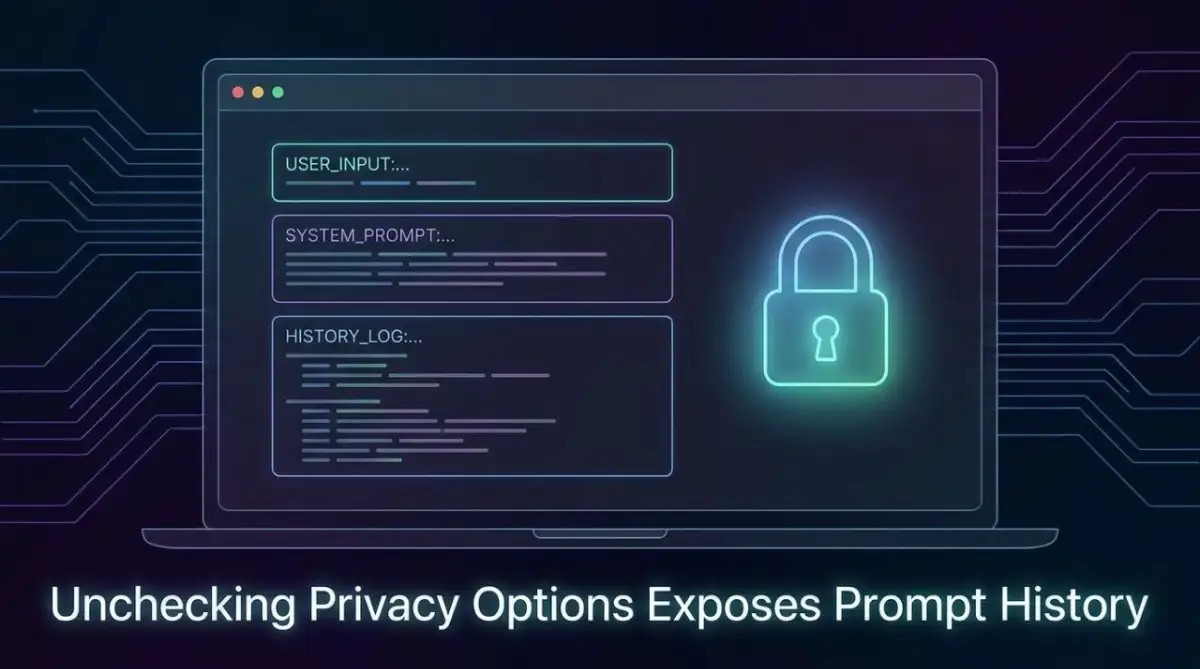
Why We Lower Our Guard When Using Free Online Tools
Most people treat modern web utilities like friendly personal assistants sitting right on their desktops. When a digital utility gives us fast and helpful answers, our brains automatically lower our natural defenses. We end up trusting open internet search boxes with secrets we would never share in a public room.
Think of an open web utility like a bench in a crowded central park. You would never leave your bank statements or home address lying open on that park bench for anyone to read. Yet millions of daily web users paste private messages and account details into open web forms every minute.
This giant safety gap happens because the immediate benefit feels wonderful while the security threat remains hidden. You receive a quick answer, so your brain skips over the long-term safety questions. Recognizing this mental trap is the very first step toward building safer habits across all your online activities.
Mistake #1: Treating Prompt Input Boxes Like Private Digital Notebooks
The most frequent error web users make is feeding personal identity information directly into open query boxes. People often paste full medical reports, home details, or family contact lists just to organize a messy document quickly. That personal data leaves your device and travels straight to remote cloud servers for deep processing. Be secure with your personal assets.
Once your personal records enter an external system, you lose direct control over how that dataset is stored. Remote server teams and automated safety scanners often check user logs to test system performance. You should never assume your personal story remains private when sent across an unencrypted web interface.
Always clean your text before pressing the submit button on any platform. Replace real home addresses, personal identification numbers, and family names with simple generic placeholders. This small habit keeps your personal life safe while still giving you the exact information you need.
Mistake #2: Uploading Proprietary Work Code and Financial Statements
Office workers frequently use free web helpers to fix broken computer code or summarize quarterly earnings reports. This practice seems completely harmless on the surface because it boosts daily productivity and keeps bosses happy. However, uploading private office records can accidentally broadcast company trade secrets to the outer world.
Several major international technology firms have caught workers sharing trade secrets with public software networks. If a public network processes your private software code, that information can reappear when another global user asks a related question. A single fast copypaste action could put your job and your employer's security on the line.
- Never share unreleased financial data or internal company budgets.
- Avoid pasting custom software code that contains private server keys or system passwords.
- Remove customer databases, account balances, and contract drafts from your search prompts.
- Use local offline tools when working on highly sensitive corporate tasks.
Mistake #3: Forgetting That Free Tools Use Your Input for System Training
When you sign up for a basic account on a free platform, default settings usually favor the developer. Most platform systems automatically save your daily input text to train future updates of their software. Every single sentence you type becomes fuel for a massive system that serves millions of strangers.
Many users assume that closing their web browser tab wipes out their search history forever. In reality, conversation records sit on remote storage drives for weeks or months behind the scenes. You must actively open your privacy panel and manually switch off these automated training toggles.
Take two minutes today to check the account preferences on every digital utility you use daily. Look for options labeled "Data Controls," "Improve Model," or "Activity History." Disabling these options blocks system owners from using your personal statements for future product development.
+--------------------------------------------------+--------------------------------------------------+
| Common Security Assumption                       | The Actual Technical Reality                     |
+--------------------------------------------------+--------------------------------------------------+
| "Deleting a chat erases my text immediately."    | Backups keep stored logs for up to 30 days.     |
| "Free services do not collect my real identity." | Your IP address and account details are logged. |
| "Private browser tabs block data recording."     | Incognito mode only affects your local device.   |
| "Nobody reads submitted user text inputs."       | Human review teams read selected user samples.   |
+--------------------------------------------------+--------------------------------------------------+
Mistake #4: Logging In with Corporate Email Accounts and Shared Badges
Creating a quick profile on a new software site using your office email address creates a risky digital connection. It links your workplace identity directly to third-party databases that your IT department does not control. If that external site suffers a data leak, your workplace identity could end up on public lists.
Using work emails for personal tools also creates confusion about who owns the generated account data. Your boss might have legal rights to inspect anything created using a corporate email address. Separating your work accounts from your personal web activity keeps both areas completely safe and organized.
Set up a secondary personal email address specifically for trying out new online applications and tools. Keep separate passwords for every account so that a leak on one site never harms your primary inbox. This simple structure builds a strong boundary around your digital identity.
Practical Steps to Sanitize Your Text Before Clicking Send
You do not need to give up modern web software entirely to protect your privacy. You just need to build a practical routine that removes dangerous details before you share anything online. Think of this process as cleaning food before cooking it for your family.
Pro Tip: Create a master text file on your desktop with fake names, fake addresses, and dummy account numbers. Use these fake values whenever you want to analyze real documents using online applications.
- Replace Names: Swap real customer names with terms like "Client A" or "User B".
- Scramble Financials: Change exact earnings numbers to general percentages or dummy figures.
- Remove Locations: Delete specific street addresses, cities, and store locations from your prompts.
- Hide Systems: Erase specific internal server names, IP addresses, and private web links.
Understanding How External Servers Handle Your Data Input
To defend your personal safety online, it helps to understand what happens when you hit send. Your written message leaves your device and travels across internet cables to large cloud server centers. Powerful processing systems handle your text to return an answer to your screen within seconds.
During this automated exchange, system servers store your IP address, browser type, and location details. Even if you never type your name, these technical signals form a unique fingerprint of your online habits. Digital marketing platforms and system networks use these footprints to track user trends across the web.
Human review teams also read selected message logs to check if system answers are accurate and safe. If you paste personal secrets into a prompt, a real human contractor might end up reading your text later. Knowing that human eyes might review your input should encourage you to double-check every submission.
Myth vs. Reality: Common Misconceptions About Online Privacy
Many people hold false beliefs about how web privacy works when using online tools. Believing these digital myths makes users careless and opens the door to avoidable security problems. Let us examine the truth behind these common safety misconceptions.
- Myth: "My small account is not important enough for anyone to monitor or target."
- Reality: Automated web bots collect data indiscriminately from every single user without caring who you are.
- Myth: "If a website has a secure lock icon, my text input is completely private."
- Reality: The lock icon only protects data while moving, not how the destination server stores it.
- Myth: "Free tools delete my information as soon as I log out of my account."
- Reality: Most platforms retain database backups long after an account is closed or deleted.
Building a Safe Daily Routine for Internet Software Usage
Staying safe online does not mean living in constant fear of new technological updates. It simply means adopting smart habits, much like wearing a seatbelt when driving a motor vehicle. You click your seatbelt into place automatically without worrying about having an accident on every corner.
Start by creating a simple mental checklist whenever you use an open web input box. Ask yourself if you would feel comfortable posting your text on a public community bulletin board. If your answer is no, clean the text thoroughly before you press the submit button.
Share these basic digital safety guidelines with your family members, friends, and co-workers as well. When everyone around you practices smart habits, the overall internet environment becomes much safer for all of us. Protecting your personal identity is a daily habit that rewards caution, patience, and clear thinking.
Final Steps to Protect Your Digital Footprint Today
Free online software offers incredible help for daily writing, organizing, and problem-solving tasks. However, convenience should never come at the cost of your fundamental right to personal identity safety. By avoiding simple errors like pasting private details, you keep complete control over your digital life.
Take charge of your web security right now by updating your privacy options across all active accounts. Remind yourself to clean your text inputs, use disposable email accounts, and question where your information travels. Making smart digital choices today keeps your private data safe for the future.
Advanced Strategies to Keep Your Online Information Locked Down
Managing your privacy on modern software tools requires more than basic cautious typing. Once you master simple prompt cleaning, you can adopt advanced habits that cybersecurity professionals use daily. These methods create multiple protective barriers between your personal identity and public servers.
Many power users run open-source text utilities on their own home desktop computers. Running software locally guarantees that your confidential documents never cross the internet to an external server. You get total control over your files without worrying about remote data retention policies.
Just as building a bulletproof emergency fund fast requires consistent safety reserves, keeping your digital records safe requires proactive layers of protection. When you isolate your sensitive text on local machines, you eliminate external security exposure entirely.
Deploying Local Proxy Networks and Anonymizing Web Extensions
If running local software is too complex, you can install browser tools that filter your text automatically before sending. These smart extensions automatically scan your outgoing text for email addresses, phone numbers, and location names. They replace confidential details with randomized strings of text in real time.
You can also route your web connections through private virtual networks to hide your physical location. Network protocols like those recommended by the Electronic Frontier Foundation help mask your IP address from tracking algorithms. Combining anonymizing networks with clean text submission creates a powerful shield against online tracking.
I recommend testing these privacy extensions on simple sample text before relying on them for important tasks. Make sure the extension does not send your data to another unknown server for processing. True security tools perform all text scrubbing right inside your browser session locally.
Setting Up Disposable Sandbox Environments for New Web Tools
Discovering a helpful new online tool is exciting, but testing unverified platforms carries hidden risks. Developers of small web utilities may not possess strong cybersecurity features to protect your stored logs. Testing unknown software directly on your main browser can expose your active logins to tracking scripts.
To stay safe, always open unknown web services inside an isolated browser sandbox or virtual machine. Dedicated sandboxes wipe out all saved cookies, browser session history, and cached files the moment you close the window. This setup keeps experimental software completely separated from your primary personal accounts.
Think of a sandbox like a temporary rental vehicle that you wash completely clean after every trip. If the software service experiences a security breach, the attackers gain nothing useful about your primary identity. Isolating untrusted tools protects your main digital life from unexpected third-party leaks.
Establishing Automated Text Sanitization Workflows
Manual text cleaning works well for short notes, but long documents demand a systematic process. You can create text template rules in simple desktop text editors to strip out formatting and identity tags. Running your notes through a scrubbing script ensures no stray personal details slip through unnoticed.
Many modern organizations train their staff to run automated search patterns across all outbound documents. These search rules automatically detect credit card formats, social security patterns, and private account codes. Adopting this practice at home gives you professional-grade security for your personal research tasks.
Make text scrubbing a non-negotiable step in your daily writing routine before pasting anything online. The few extra seconds spent reviewing your text will save you from major headaches down the road. Consistency is the secret weapon that separates secure web users from careless ones.
Creating a Modular Prompt Writing Strategy
Instead of pasting entire original files into online applications, break your requests into abstract modular steps. For instance, ask the software to explain a general coding formula or writing structure first without giving it your specific context. Once you receive the general template, apply your sensitive details locally inside a private text document on your computer.
This modular approach keeps your unique business ideas and personal details completely offline while still leveraging smart automation. You get the benefits of advanced software reasoning without ever exposing your proprietary content to external databases. It is one of the most effective techniques used by professional data analysts today.

Dangerous Missteps That Can Destroy Your Online Safety
Even well-intentioned users often fall into subtle traps while trying to optimize their online productivity. These errors usually happen when we get comfortable and skip standard security checks to save time. Recognizing these common pitfalls helps you spot dangerous habits before they lead to serious data exposure.
People make similar missteps when managing personal finances, such as making errors when getting approved personal loan mistakes you must avoid during stressful financial decisions. Falling into online security traps usually stems from the exact same rush to get immediate results without double-checking the fine print.
Trusting Browser Extensions That Promise Free AI Enhancements
Dozens of third-party browser add-ons promise to add floating helper buttons directly into your chat windows. While these extensions seem convenient, many of them secretly log every word you type into your browser. Unscrupulous extension creators can collect your browser history and sell it to advertising brokers.
Before installing any helper extension, inspect the developer permissions required in your browser settings. If an add-on asks for permission to read and change data on all websites, remove it immediately. Stick strictly to official platforms or well-reviewed open-source extensions built by trusted security researchers.
Accidental Inclusion of System API Keys and Private Tokens
Programmers and web creators often paste blocks of code containing active software keys into query windows. Automated bots constantly scan open web datasets searching for exposed access keys to compromise cloud services. Leaving an active access key in a search box can lead to hijacked cloud servers within minutes.
According to data privacy warnings published by the Federal Trade Commission, consumer identity theft often begins with small data leaks across public platforms. Always store your system access keys in separate environment files that never touch a public text interface. If you accidentally paste a live key into a chat box, revoke and replace that key immediately.
Overlooking What Happens When You Suffer Missed Digital Safeguards
Forgetting to update your privacy controls creates a cumulative risk that grows larger over time. The situation resembles what happens when someone asks what happens if you miss a personal loan emi payment and how to fix it after ignoring early deadline warnings. Small security omissions snowball into massive privacy liabilities if you do not correct them early.
When you leave data collection enabled across multiple platforms, your digital footprint expands across dozens of corporate networks. A single data breach at any one of those companies can expose your entire history to bad actors. Taking immediate action to clean up active account settings stops this compounding risk right in its tracks.
The Trap of Relying on Automatic Deletion Guarantees
Many software platforms offer a deletion button that promises to erase all your user records from their system. While this feature removes your profile from public view, background datasets may retain your prompt history for training AI models. System backups and archived database snapshots often preserve old conversation logs indefinitely.
Never rely on post-deletion promises as a safety net for sensitive information you should not have shared in the first place. Once your data enters a large machine learning model, extracting or removing your specific contribution is technically impossible for the provider. The only guaranteed way to keep sensitive data safe is never uploading it at all.
Your Daily Action Plan for Clean and Secure Online Habits
Taking charge of your online security does not require a degree in computer science or expensive security software. You can start protecting your personal information today simply by making small adjustments to your daily browser routine. Consistency and awareness are far more effective than complex technical tools.
Similar to how people research how to consolidate multiple debts without hurting your credit score to regain control over their finances, streamlining your digital footprint restores your personal security. Taking organized control over your data inputs brings long-term peace of mind in our connected world.
Review the quick reference list below to evaluate your current online habits against modern security recommendations. Use these practical principles whenever you interact with new web utilities or online services.
Safe Usage Do's and Don'ts
Do strip out all personal identity details, real names, and phone numbers before pressing send on any platform. Do use temporary email addresses when testing new online services for quick research projects. Do toggle off data training options inside every application settings menu you visit regularly.
Don't paste active software passwords, access keys, or corporate financial records into open search boxes. Don't assume that private incognito windows stop remote software servers from logging your IP address. Don't install unverified browser extensions that request unlimited access to your personal web browsing history.
Consumer defense reports from the Privacy Rights Clearinghouse emphasize that personal vigilance remains your strongest shield online. Technology changes rapidly, but basic habits like checking settings and sanitizing text remain effective indefinitely. Protecting your digital life is an ongoing journey that starts with the very next prompt you write.
Final Steps for Long-Term Digital Security
Open your favorite web utilities right now and navigate directly to their account security menus. Turn off history sharing features, clear unnecessary saved conversations, and update your personal login credentials. Make this quick audit a regular habit at the beginning of every month.
You have the power to enjoy modern web software while keeping your personal life private and secure. Share these practical tips with your colleagues, friends, and family so they can stay protected too. Safe browsing habits allow us all to build a smarter and more secure online environment together.