My Personal Nightmare: How My "Smart" Home Became A Silent Spy
I always loved the idea of a fully connected house, so I bought every smart gadget I could find. My morning routine felt like magic, with lights turning on and coffee brewing before I even got out of bed. But then, I noticed something deeply unsettling happening behind the scenes.
My phone started showing me hyper-specific ads about private conversations I only had in my living room. I felt a cold chill run down my spine as I realized my trusted devices were actually listening to my family. I felt completely violated in my own safe space. My private sanctuary had silently turned into a massive data-harvesting machine without my permission.
Regular people everywhere are buying these gadgets to make life easier, completely unaware of the heavy price tag attached to their privacy. You might think your home is your secure castle, but invisible digital intruders are constantly recording your habits.
They track your sleep schedules, monitor when you leave for work, and even record your children's voices. This constant, unseen surveillance slowly strips away our peace of mind. It creates a lingering anxiety that you are never truly alone, even behind locked doors.
We bring these shiny new devices into our bedrooms and kitchens because we trust the big tech companies making them. But the harsh reality is that your personal data is a goldmine for advertisers and third-party brokers.
Every time you ask your smart speaker a question, or your smart fridge logs your grocery habits, a detailed profile of your private life is being built. The worst part is how helpless it makes you feel. You cannot physically see the data leaving your home, so you have no idea who is watching, listening, or recording you on the other end.
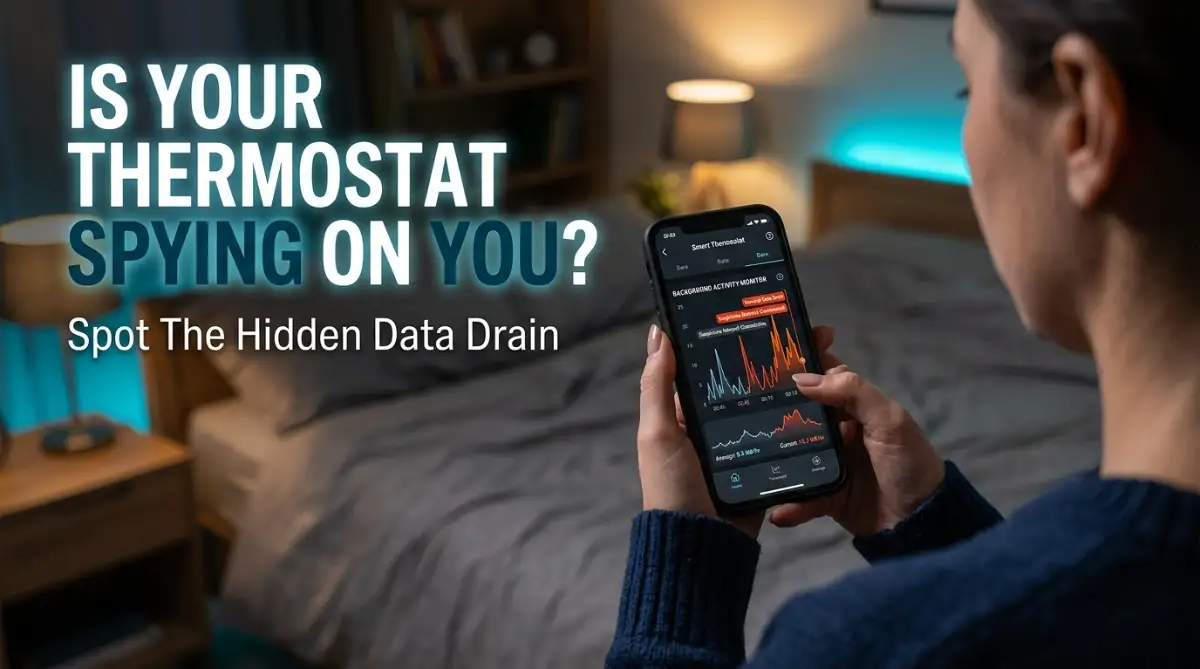
The Invisible Threat: Realizing You Are The Product
The most frustrating part of this entire situation is the illusion of control. You download the companion app, uncheck a few basic boxes, and assume you are completely protected.
But these devices are intentionally designed to be confusing. They bury their actual tracking mechanics deep inside massive terms of service agreements that nobody actually reads.
This leaves everyday families exposed to severe digital profiling. Your daily routine is packaged, analyzed, and sold to the highest bidder in fractions of a second.
You start questioning your own sanity when you talk about wanting a new mattress out loud, and suddenly your social media feed is flooded with mattress discounts. It destroys the natural comfort of your own home. We deserve better than being treated as walking wallets for tech corporations.
How to Spot the Hidden Signs of Digital Eavesdropping
Let us break down the exact, science-backed red flags that prove your devices are sending out more information than they should. We will not use confusing technical jargon here.
Instead, I will show you exactly what to look for in your everyday life. By understanding these subtle clues, you can finally take back control of your digital boundaries.
The Mystery of the Draining Bandwidth
One of the most obvious, yet ignored, signs of a data leak is unexplained internet usage. Your smart home gadgets should only use a tiny amount of data to receive basic commands.
If you check your monthly internet bill or router app and see huge spikes in data uploads, you have a serious problem. Think of your internet connection like a water pipe in your house.
A smart plug turning on a lamp is like a single drop of water. But if your smart TV or cheap security camera is constantly uploading gigabytes of data while you sleep, it is like leaving a fire hydrant open.
Where is all that heavy data going at 3 AM? In many cases, poorly secured devices are sending your voice recordings, usage logs, and network details back to foreign servers.
Understanding Ghost Activations and Unprompted Responses
Have you ever been sitting quietly reading a book, only for your smart speaker to suddenly light up and say, "I didn't quite catch that"? These ghost activations are terrifying.
Companies claim these are simple accidental triggers, but the reality is far more invasive. When a device wakes up on its own, it actively records the ambient noise in your room.
That audio snippet, which could contain intimate conversations or financial discussions, is then instantly beamed to the cloud. You are essentially paying for a live microphone that you cannot fully control.
This happens because the microphones are hyper-sensitive and always waiting for a wake word. However, cheap internal processors often misinterpret normal household noises as a command, leading to massive privacy breaches.
The Pro Tip: My 400-Ping Wake-Up Call
Here is a quick reality check from my own experience. I used to buy cheap, off-brand smart plugs to save a few dollars, thinking they were harmless.
One day, I decided to look at my router's admin panel just out of curiosity. I was horrified to discover that one single smart plug was pinging a strange, unknown server over 400 times a day!
I immediately unplugged it and threw it in the trash. Never compromise your home network security just to save ten bucks on a discounted smart device.
Checking the Logs to Catch the Spies
Most people do not know that they have the power to actually see what their devices are doing. You do not need to be a computer hacker to find out if you are being tracked.
Your wireless router is the main doorway to your house, and it keeps a detailed guestbook of everything going in and out. By logging into your router's basic app, you can easily spot which gadget is talking to the outside world the most.
Learn How to Expose Hidden Network Spies Today
If you want to see exactly how to check your network traffic in less than five minutes, watch this brilliant visual breakdown.
The Creepy Reality of Hyper-Targeted Ads
We touched on this earlier, but we need to examine the exact mechanics behind it. Getting targeted ads right after having a spoken conversation is not a funny coincidence.
It is the direct result of cross-device tracking. Your smart speaker, your mobile phone, and your smart TV are all communicating with each other on the same WiFi network.
When your smart speaker picks up a keyword like "dog food," it tags your unique network IP address. That tag is instantly shared with advertising networks across the internet.
So, when you open your laptop an hour later, the ads are already waiting for you. It is a highly coordinated digital stalking operation disguised as a convenient user experience.
Sudden and Unexplained Battery Drain
If you use battery-powered smart cameras or smart locks, you need to pay close attention to how often you charge them. A healthy device should last for several months on a single charge.
If you find yourself replacing batteries or charging your devices every few weeks, something is deeply wrong. Rapid battery drain is a massive red flag for hidden background activity.
It takes a lot of physical energy for a wireless device to process data, connect to a server, and upload files. If your camera is draining fast, it means it is constantly waking up and recording.
It might be picking up the motion of passing cars, or worse, it might be hacked and secretly streaming live footage. Do not ignore a dying battery, because it is trying to tell you a very important story about your privacy.
The Truth About Companion Apps Tracking Your Phone
When you buy a smart bulb, you usually have to download an app to change the colors. Have you ever wondered why a simple lightbulb app needs access to your phone's GPS location and microphone?
This is one of the most common ways companies secretly harvest your personal data. They trick you into granting full permissions on your smartphone during the initial setup process.
Once you click "Allow All," the app silently tracks your physical movements all day long, even when you are miles away from home. They do not actually need your location to turn on a light.
They want your location data because it is highly valuable to third-party marketing agencies. You must go into your smartphone settings today and strip away these unnecessary permissions immediately.
Why Cheap Devices Are the Most Dangerous
There is a massive difference between buying a smart gadget from a reputable brand and buying a nameless knockoff online. Cheap IoT (Internet of Things) devices are incredibly dangerous.
They cut manufacturing costs by completely ignoring basic security protocols and encryption standards. This means any data they send out is flying across the internet in plain text.
A teenager with a basic laptop could easily intercept the signal from a cheap smart lock and open your front door. Furthermore, these shady companies often make their actual profit by secretly selling your usage data.
They offer the hardware at a loss because you are not the customer. Your private life is the actual product they are selling to data brokers on the dark web.
The Blinking Light of Unwanted Updates
Most modern smart home gadgets have a small LED indicator light to show when they are active. You should always be aware of what these little lights mean. Be careful always.
If your webcam or smart display suddenly shows a solid green or red light when you are not using it, you need to act fast. This usually means the camera or microphone is actively being accessed by an outside source.
Sometimes it is just a poorly timed firmware update from the manufacturer. However, it can also mean a malicious hacker has bypassed your weak passwords and is actively watching your living room.
Never ignore strange blinking lights on your hardware. If a device acts suspiciously, walk over and physically unplug it from the wall until you can figure out what is happening.
How Smart TVs Are Watching You Back
We often focus entirely on smart speakers and cameras, completely forgetting the biggest spy in the house. Your massive smart TV is one of the worst offenders when it comes to data leaks.
Modern televisions come equipped with a technology called Automatic Content Recognition (ACR). This software silently takes screenshots of whatever you are watching, playing, or streaming every few seconds.
It analyzes these images to build an incredibly detailed profile of your political views, your entertainment preferences, and your family's schedule. It does not matter if you are watching regular cable, playing a video game, or using a DVD player.
The TV is still recording everything displayed on the screen and sending it back to corporate databases. You have to manually dig deep into the television's privacy settings to turn this hidden feature off.
The Danger of Unified Smart Home Hubs
Connecting all your devices to a single hub like Google Home or Apple HomeKit seems like the ultimate convenience. You can control your entire house from one simple dashboard.
However, this creates a massive, centralized point of failure for your family's digital security. If a bad actor gains access to your primary Google or Apple account, they instantly control your entire physical house.
They can unlock your doors, turn off your security cameras, and blast music at maximum volume. You are putting all of your digital eggs into one extremely vulnerable basket.
To protect yourself, you must use incredibly strong, unique passwords and enable two-factor authentication for these main hub accounts. Never use the same password for your smart home hub that you use for your social media accounts.
Taking The First Step Towards True Digital Peace
Living in a modern, connected world does not mean you have to surrender your human right to privacy. You can still enjoy the convenience of automated lights and smart thermostats without being treated like a test subject.
The secret lies in shifting your mindset from a passive consumer to an active digital defender. You have to stop blindly trusting these corporations to do the right thing.
By identifying these silent warning signs, you have already won half the battle against digital surveillance. You now know exactly what to look for when your gadgets start acting strangely.
The next phase of your journey is actively locking down your network so these leaks never happen again. You hold the power to build an impenetrable digital wall around your family.
It is time to make your smart home respect your boundaries once and for all. You owe it to yourself to sleep peacefully, knowing that nobody is secretly listening in the dark.
Taking Back Control: Advanced Strategies for a Leak-Proof Home
Now that you know how to spot the hidden signs of digital eavesdropping, it is time to build your defense. You do not need to be a computer engineer to secure your private life from these invasive gadgets. I have spent a lot of time testing different methods to find the most practical, everyday solutions that actually work.
We are going to explore some highly effective expert secrets that will instantly stop unauthorized data sharing in its tracks. By applying these steps, you can finally enjoy the convenience of modern technology without sacrificing your peace of mind. Let us walk through exactly how to set up an invisible shield around your family.
The Magic of the Digital Quarantine Network
One of the absolute best things you can do for your home security is to separate your smart gadgets from your personal computers. Think of your home internet like a large, multi-room house. You would never let a random delivery driver walk directly into your private bedroom, right?
That is exactly what happens when you put a cheap smart bulb on the same Wi-Fi network as your banking laptop. To solve this, you need to use a feature called a "Guest Network" on your wireless router. Almost every modern router has this option hidden in the basic settings menu.
By moving all of your smart speakers, smart plugs, and cameras onto this isolated guest Wi-Fi, you create a strict digital boundary. If a poorly secured smart lock gets hacked, the intruders will only see other isolated gadgets. They will have absolutely no access to your personal family photos, private emails, or financial documents.
Hiring a Digital Bouncer for Your Internet Traffic
If you want to take your privacy to the next level, you should look into network-wide ad blocking. This acts like a tough security guard standing at the front door of your internet connection. Whenever a smart TV tries to send your viewing habits to a hidden advertising server, this system instantly blocks the transfer.
Many privacy advocates recommend using a DNS sinkhole, which sounds complicated but is actually quite simple. It basically takes a list of known tracking servers and completely cuts off their access to your home network. You can set this up using open-source tools or through privacy-focused router settings.
When I first implemented this, I was absolutely shocked to see my television trying to contact external servers thousands of times a day. Blocking these silent tracking attempts will drastically reduce your digital footprint. It is one of the smartest proven risk management strategies you can apply to your daily digital life.
The Undeniable Power of Physical Barriers
We often rely so much on software settings that we forget the simple power of physical objects. If you are worried about a smart display recording your conversations, just mute the microphone with the physical switch. Most reputable brands now include a hardwired mute button that physically disconnects the power to the listening device.
For security cameras placed inside your house, you should invest in simple privacy covers. These are cheap little plastic sliders that you can stick directly over the camera lens. When you are walking around your living room in your pajamas, simply slide the cover shut.
Even if a malicious actor completely bypasses your passwords and hacks the camera, they will only see a pitch-black screen. Taking physical control of your hardware is a foolproof way to ensure total privacy. Sometimes the most advanced technological problems require the simplest, old-school solutions.
Auditing Your Companion Apps Like a Pro
Those little companion apps you install to control your smart gadgets are notorious for gathering excess background data. You must make a habit of checking your smartphone permissions at least once a month. You need to aggressively revoke access to your location, contacts, and microphone for any app that does not strictly need it.
If a smart thermostat app demands to know your exact GPS location 24/7, you should instantly deny that request. You can always adjust the temperature manually when you get home. Do not trade your constant whereabouts just to save three minutes of waiting for a room to warm up.
If you notice these apps are draining your phone power aggressively in the background, it is a clear sign they are constantly uploading data. This is very similar to the hidden reasons your premium headphones drain fast, where background software glitches quietly consume all your resources. Always restrict background data usage for these specific applications in your phone settings.
Checking the Fine Print on Data Sharing
When you initially set up a new smart device, the screen usually throws a massive block of legal text at you. Most of us just hit "Accept All" because we are excited to try out our new toy. However, buried inside those menus is usually an option to "Opt-Out" of data sharing for marketing purposes.
You need to go back into the settings menus of your current devices right now. Look for categories labeled "Privacy," "Analytics," or "Help Improve Our Products." Turn every single one of those toggle switches to the off position.
Corporations will always try to frame data collection as a way to improve your user experience. In reality, they are compiling extensive profiles to sell to third-party brokers. According to recent studies on IoT consumer rights by the Electronic Frontier Foundation, you have every right to refuse these optional data collection practices without losing basic device functionality.
Dangerous Traps: Why Good People Fall for Digital Spies
Securing your home is not just about changing a few settings; it is also about changing how you think about everyday technology. Over the years, I have seen incredibly smart people make terrible errors simply because they trusted the wrong brands. We need to talk about the hidden pitfalls that can instantly compromise your entire household.
If you fall into these common psychological traps, all the advanced router settings in the world will not save you. Let us break down the most dangerous habits you need to break today to protect your family from digital harm.
The "I Have Nothing to Hide" Illusion
This is probably the single most dangerous mindset a person can have in the modern era. When I tell friends about smart home surveillance, they often shrug and say they live boring lives so it does not matter. But privacy is not about hiding bad behavior; it is about maintaining your fundamental human boundaries.
When data brokers build a profile on you, they track your medical interests, your financial struggles, and your children's daily routines. This incredibly sensitive information can be used to manipulate you with predatory advertising or alter your insurance rates. You would never let a stranger stand in your kitchen and take notes on your family dinners.
Allowing a smart speaker to do the exact same thing is a massive violation of your personal space. Protecting your household data is just as important as protecting your intellectual property in a business setting. Both require strong boundaries to prevent exploitation by outside forces.
Ignoring Factory Default Passwords
When you buy a brand new smart plug or wireless security camera, it usually comes with a default username and password like "admin" and "1234". You would be absolutely shocked to learn how many people plug these devices in and never change that initial password. This is the equivalent of leaving your front door wide open with a neon sign pointing inside.
Hackers actively scan the internet searching for devices still using these exact default factory settings. Once they find one, they can log into your home network in seconds from thousands of miles away. The very first thing you must do when unboxing a new gadget is create a unique, highly complex password.
Never reuse the passwords you rely on for your banking or social media accounts. Using a dedicated password manager app is a simple way to keep all these random device logins perfectly organized and secure. This single habit will block the majority of automated hacking attempts on your home network.
Blindly Trusting Second-Hand Devices
Finding a great deal on a used smart thermostat or security camera online feels like a huge win for your wallet. However, bringing a used smart gadget into your private network without taking extreme precautions is a massive gamble. You have absolutely no idea what kind of custom software the previous owner might have installed on that hardware.
Sometimes, malicious sellers intentionally inject tracking software into used smart gadgets before listing them for sale online. When you connect it to your home Wi-Fi, you are secretly giving a stranger a backdoor key to your network. If you must buy used equipment, you have to perform a complete, hard factory reset before connecting it to your internet.
Wipe the device entirely clean, delete any lingering accounts, and update the firmware immediately. If the device behaves strangely or refuses to update, throw it away. A small discount is never worth exposing your daily life to unknown digital threats.
The Set It and Forget It Mentality
Technology is constantly shifting, and the security standards that kept you safe yesterday might not work tomorrow. Many homeowners install a complete smart home system, feel incredibly secure, and then completely ignore it for years. This is a very common trap that leaves your older devices highly vulnerable to new digital attacks.
Manufacturers constantly discover newly found security loopholes in their own products and release software patches to fix them. If you never check your companion apps for firmware updates, you are leaving those known loopholes wide open. Hackers specifically target older smart gadgets because they know people forget to update them.
You need to schedule a short digital maintenance day once every few months. Walk around your house, open the respective apps, and push through any pending software updates. Thinking about your home network security should become as routine as locking your physical doors at night. If you use your devices for work, keeping them updated is essential to ensure your business communications remain totally safe from prying eyes.
Failing to Audit Shared Access
Sometimes the biggest threat to your privacy is not a faceless hacker, but simply poor account management. We often share our smart home hub access with house guests, temporary babysitters, or old roommates. It is very easy to grant someone access to your smart locks or cameras and then completely forget to remove them when they leave.
Imagine an old acquaintance still having live access to your indoor security cameras months after moving out. You need to routinely open your primary smart home hub app and review the list of approved users. Delete anyone who no longer needs daily access to your physical living space.
You should also revoke access for any third-party services or random websites you might have connected in the past. Your digital guest list should only include the people who currently sleep under your roof. Maintaining strict control over these digital keys is the ultimate way to secure your environment.
Your New Digital Fortress: An Action Plan for Tomorrow
Building a secure, private living environment does not happen entirely overnight. It requires a steady, mindful approach to how you welcome new technology into your safe spaces. You have now learned how to spot the silent clues of data leaks, from unexplained bandwidth spikes to creepy targeted advertisements.
More importantly, you now possess the exact tools needed to fight back against these invisible digital intruders. You understand the profound importance of network isolation, strong passwords, and routine privacy audits. There is no need to feel overwhelmed or helpless anymore.
Start small by simply turning off the hidden data-sharing settings on your television tonight. Tomorrow, you can tackle moving your cheap smart plugs onto a dedicated guest Wi-Fi network. Remember, every single device you secure makes it significantly harder for companies to harvest your family's personal information.
Do not let these major tech companies bully you into trading your basic privacy for a little bit of convenience. You have the absolute right to control what happens inside your own walls. By maintaining these healthy digital habits, your house will finally become a true sanctuary once again. Taking a proactive stance on security is the best way to protect your entire digital portfolio and your family's peace of mind.
As you move forward, stay deeply curious about the devices you bring into your life. Read up on independent privacy reviews from trusted authorities like the National Institute of Standards and Technology before buying new tech. Your privacy is a precious resource, and it is entirely up to you to guard it fiercely.
A Personal Note from Me:
I completely transformed my own peace of mind once I finally took these steps and locked down my living room. My anxiety about being constantly monitored faded away, and I felt truly relaxed in my own house again. I highly encourage you to start making these small changes today, because your personal space belongs entirely to you.
Frequently Asked Questions About Device Privacy
Can smart home devices secretly record my conversations?
Yes, many smart speakers and cameras are constantly listening for a wake word. If the internal microphone misinterprets a normal conversation as a command, it will record your voice and send the audio snippet to a remote cloud server. You should routinely check your app history and delete saved voice recordings.
Do I really need an app for every single smart bulb I buy?
No, you do not always need a dedicated app for basic functionality. Many high-quality smart devices can connect directly to centralized, privacy-focused hubs without needing individual, data-hungry companion apps on your phone. Always look for gadgets that support local control instead of forcing a cloud connection.
How do I know if my smart TV is tracking what I watch?
If you receive hyper-specific advertisements based on the shows or video games you recently played, your TV is likely tracking you. You need to dive into the general settings of your television and disable a feature called Automatic Content Recognition (ACR). Turning this off immediately stops the TV from analyzing your screen images.
Is it safer to just unplug everything when I leave the house?
While physically unplugging devices guarantees they cannot transmit data, it defeats the purpose of having automated smart home security. A much better and more practical approach is to put all your devices on a restricted guest Wi-Fi network. This allows them to function normally while keeping them entirely separated from your sensitive personal files.
Disclaimer: The information provided in this blog post is for educational and informational purposes only. It does not constitute professional cybersecurity or legal advice. Always consult with certified tech professionals before making significant changes to your home network infrastructure. We do not endorse any specific brands mentioned, and all digital security practices should be researched thoroughly.